Real-time financial dashboards
Live metrics, scenarios & goals — all on one dashboard.
Parallel puts all your core metrics into a single live dashboard overlaid with editable scenarios and assumptions. Change a driver, watch your runway respond.
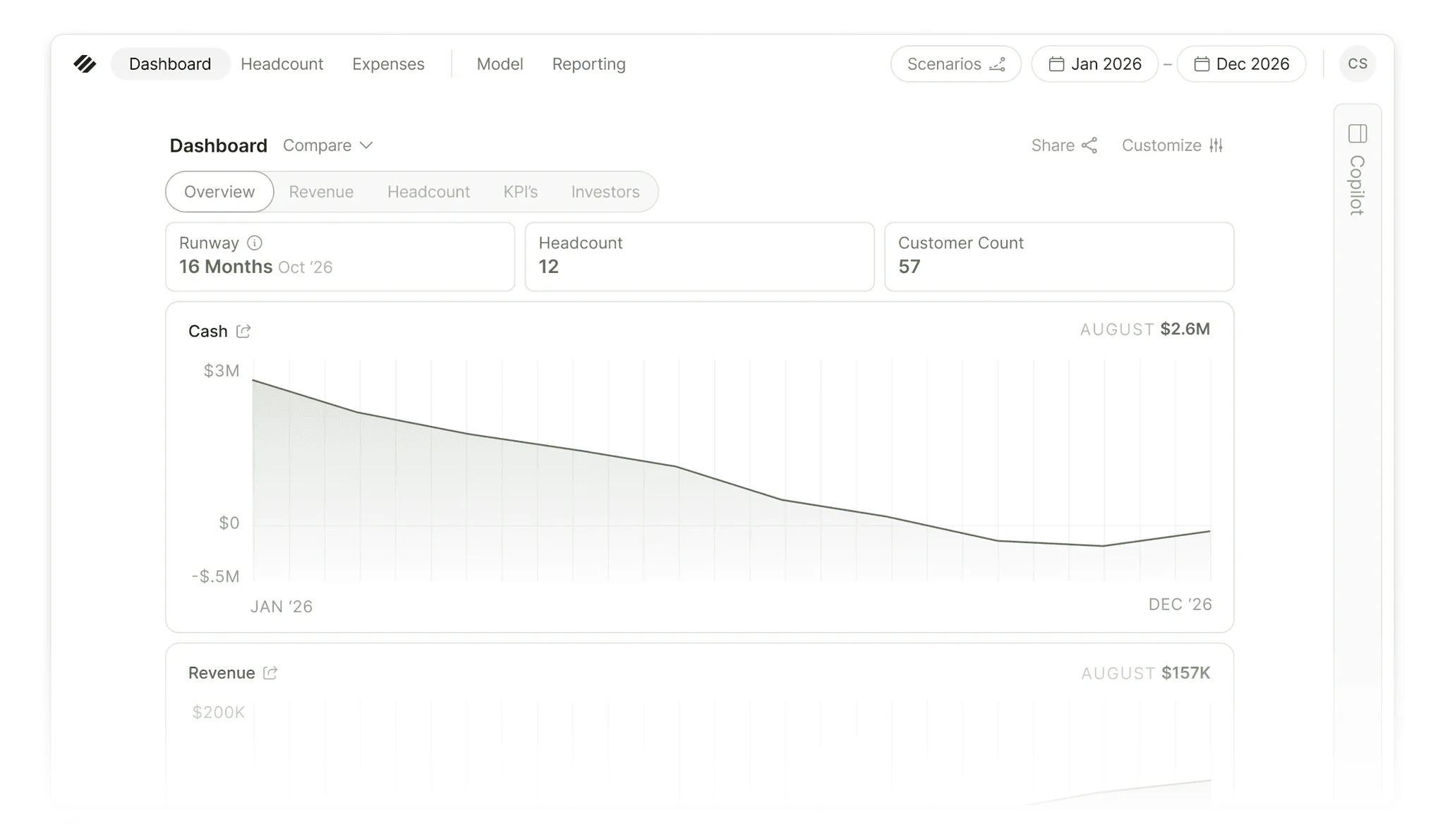
See the metrics that matter for the decisions you’re making
Financial models are designed to answer all types of questions across the business, but they can be hard to digest when the data is buried inside complex spreadsheets.
Parallel lets you create purpose-built dashboards that surface the right metrics for each objective, audience, and conversation. From business health checks and board meetings to revenue planning and operational analysis, every dashboard is powered by the same financial model while highlighting the data that matters most.
Focus on the metrics that drive decisions, without losing the depth and accuracy behind them.
Your hub for assessing performance, goals, and assumptions
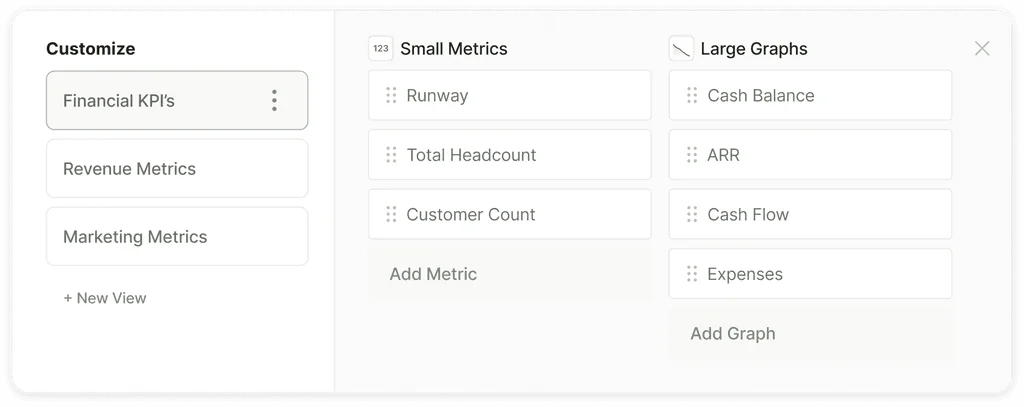
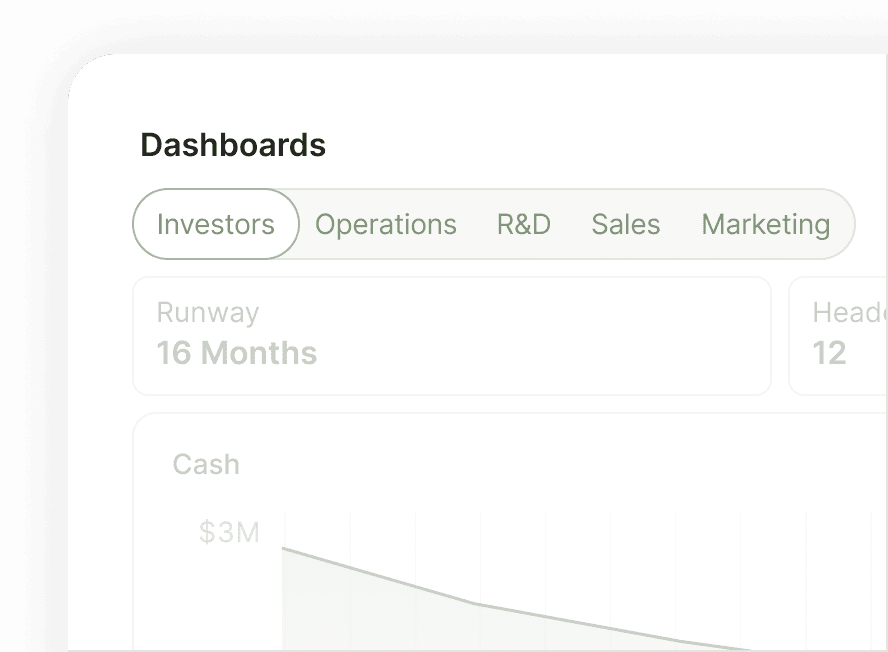
Share audience-specific dashboards
Different audiences, different dashboards. Customize operating, board, and VC views so each set of stakeholders sees what’s most important to them.
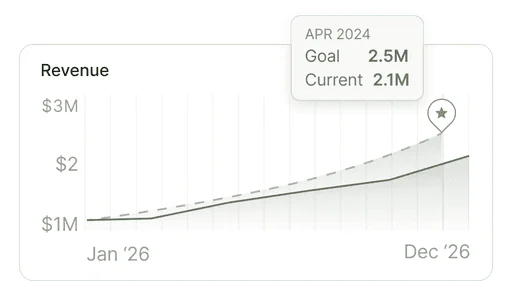
Overlay goals across metrics
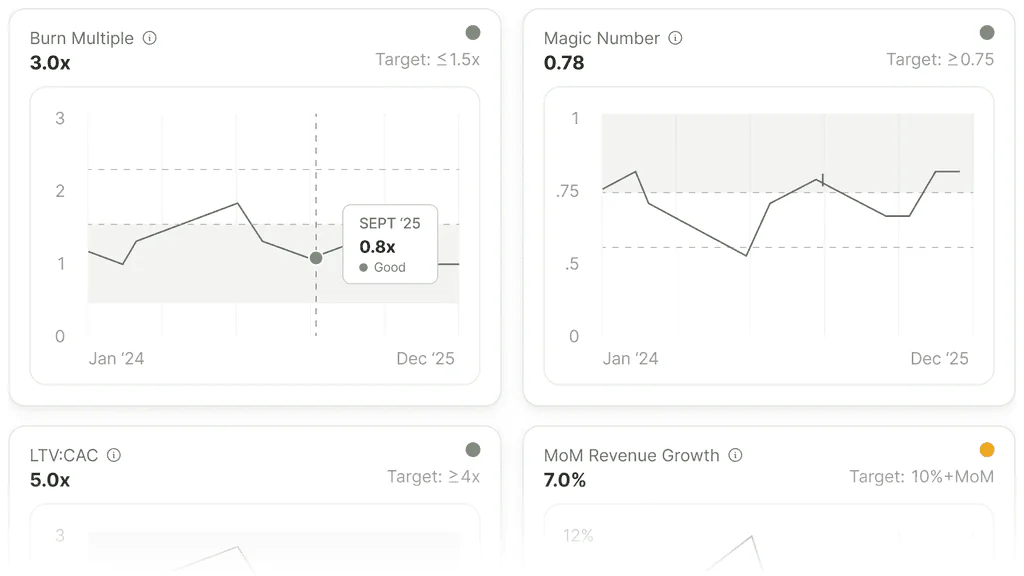
Add your goals to the metrics they map to. When you run a scenario you see how each metric tracks against your targets.
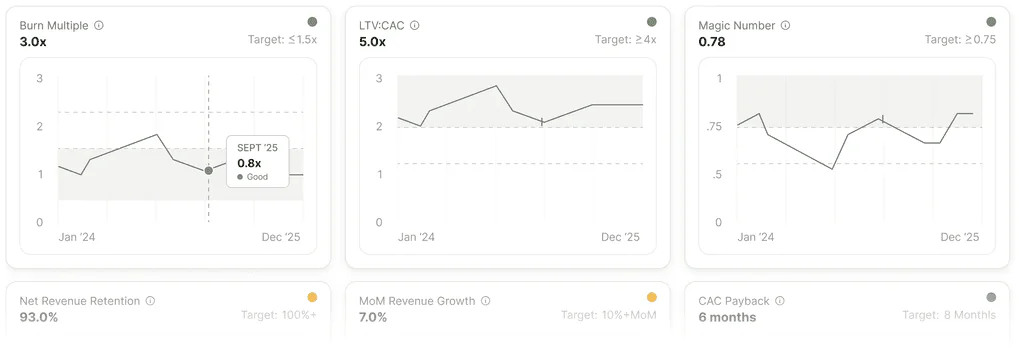
Measure against industry benchmarks
See your actuals alongside stage-specific SaaS benchmarks so you know where you're outperforming and where you’re trailing.
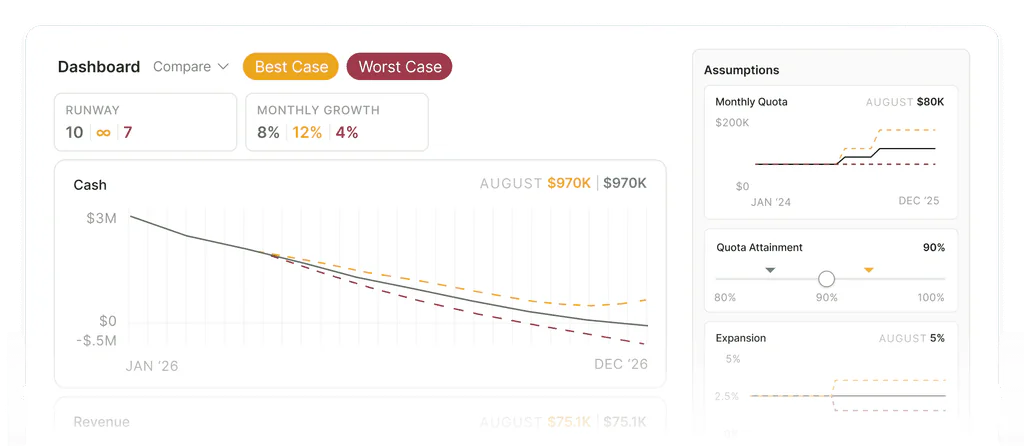
Surface key assumptions
Adjust inputs like churn rate, quota, ramp, and conversion to see how metrics respond without editing your core model.
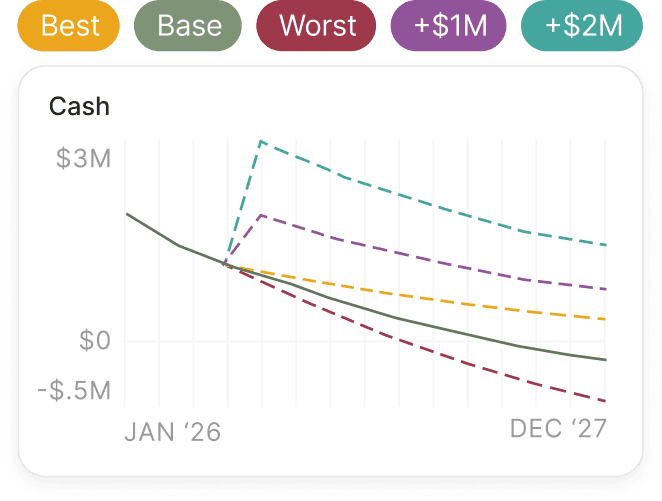
Compare scenarios & plans
Overlay scenarios on the dashboard to see variations in runway, burn, and revenue. Compare the current model to past plans to see what's changed since your last review.
Use Cases
Get control of your financial situation
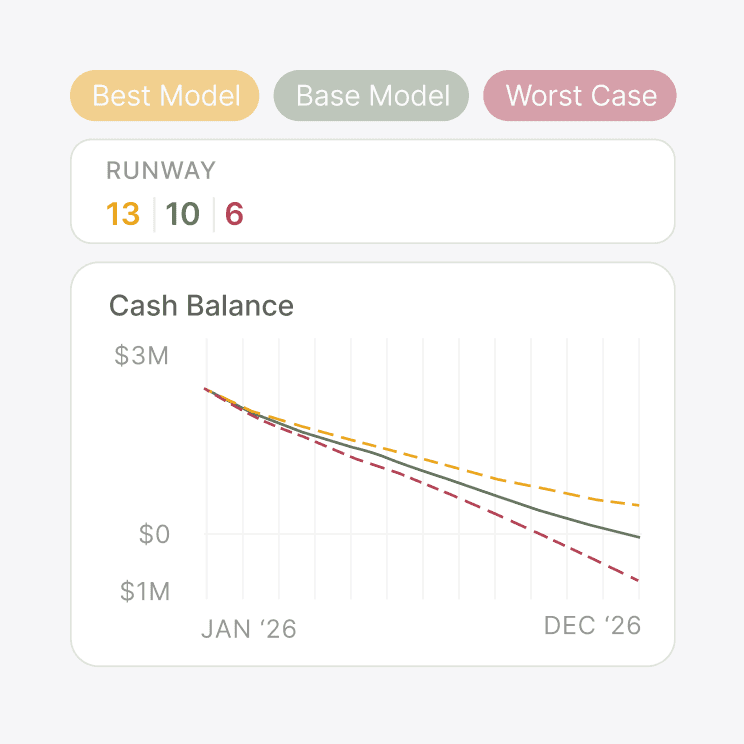
Runway clarity
Know your runway the moment your data changes, with full visibility into what moved the needle.
Learn More about Runway clarity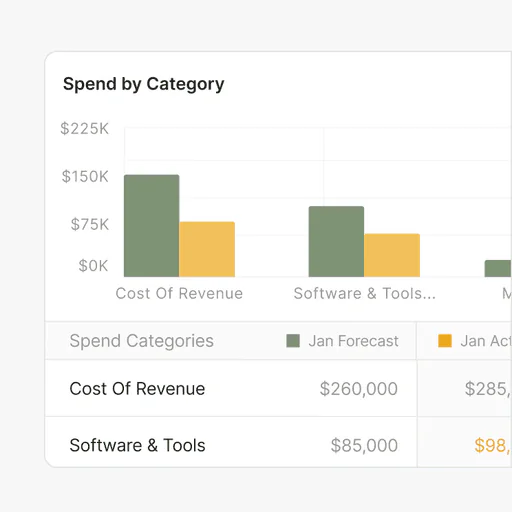
Burn management
Understand where every dollar goes, down to the vendor level.
Learn More about Burn management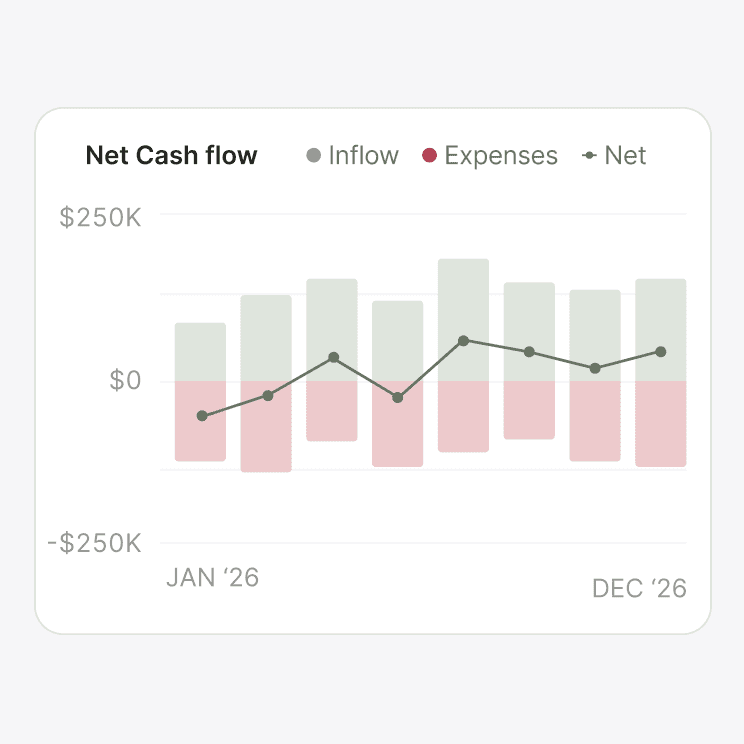
Cash flow management
See where cash is headed and why, not just where you've spent.
Learn More about Cash flow managementProduct Capabilities
Get a clear, holistic picture of your financial health
Reporting
No discrepancies. Your operational dashboard and reports are built on the same data, so they tell the same story.
Learn More about Reporting
Live integrations
Your accounting integration keeps historical actuals current on the dashboard, so the metrics never drift from your real books.
Learn More about Live integrationsFrequently asked questions
Which metrics does Parallel track?
Parallel tracks every key financial metric that Seed to Series A SaaS companies focus on: runway, cash balance, burn (gross and net), burn multiple, MRR, ARR, gross margin, CAC, LTV, payback, Rule of 40, and revenue growth. SaaS industry benchmarks sit alongside each metric. You can also build custom metrics and formulas to track for your unique needs.
Can I customize my dashboard?
Yes. Every tile is configurable, and you can build multiple dashboards across your workspace so different audiences (you, your team, your board, or your investors) see the information that’s most relevant for them.
How often does the dashboard update?
The dashboard updates as soon as you change anything in your model: add a hire, adjust a comp number, modify an assumption, or run a scenario. Historical actuals update on your accounting sync cadence, so the actuals side of the dashboard reflects each new sync from your books.
What's the difference between Dashboards and Metrics vs Reporting?
Dashboards are the live, operational view you check every day. Reporting is the structured, periodic output you share with your board, investors, and team. Both are powered by the same underlying model, so the numbers reconcile automatically.
Can I share my dashboard with my investors or team?
Yes. Each dashboard can be shared with specific users or roles. A VC can be granted access to just the dashboard you want them to see, not the underlying model.
Get the clarity you need to move forward with confidence
Get every metric, scenario, and assumption you want to test in a single, live view.
Start Your Free Trial15-day free trial. No credit card required.