Financial Scenario Planning Software
Explore what-if scenarios and see the tradeoffs across key metrics.
Instantly view forecasted runway, burn rate, and key metrics like CAC, LTV, and burn multiple — without digging through spreadsheets.
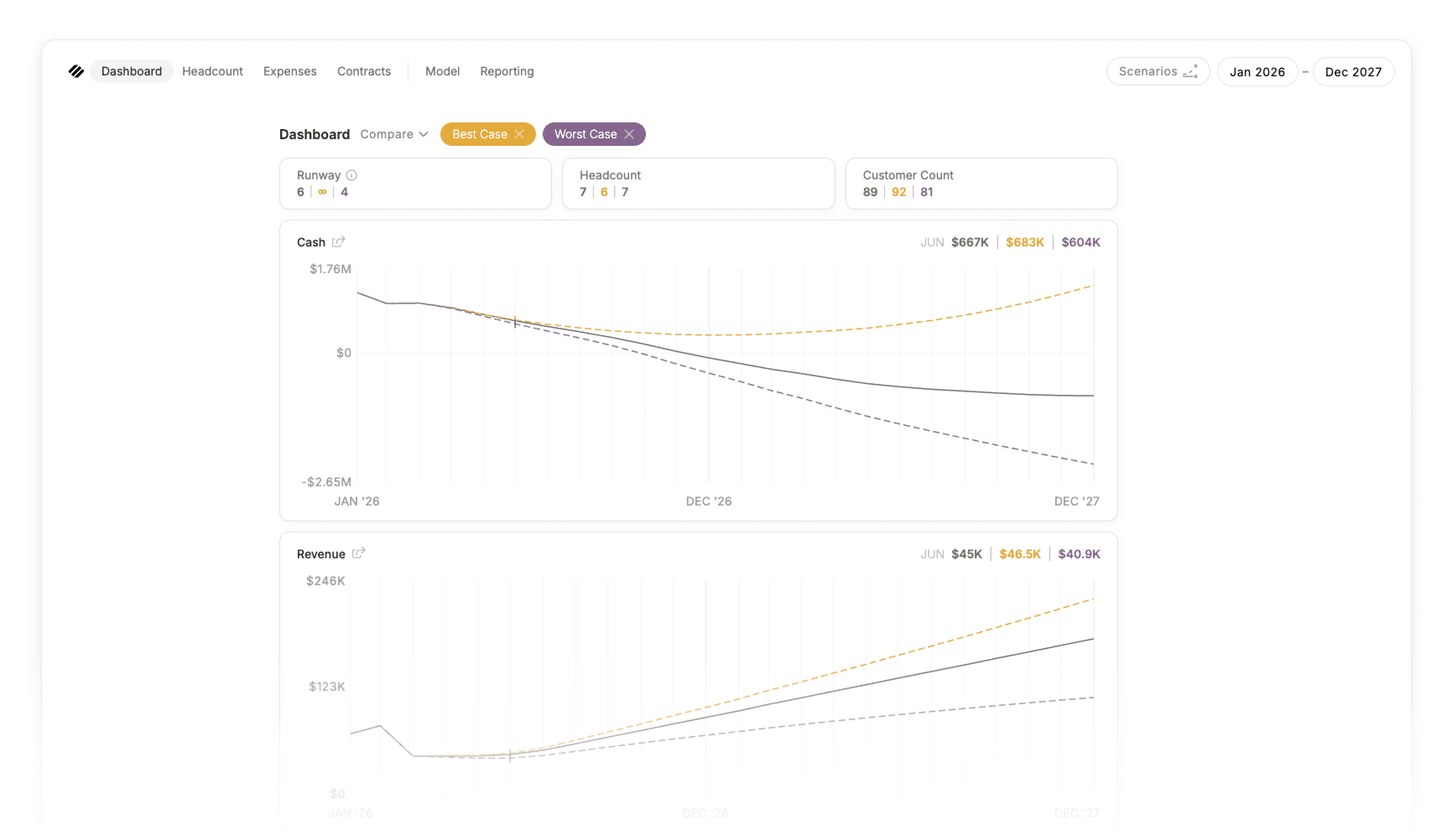
Your biggest decisions are financial. Scenarios show the full impact.
You make your most important decisions on gut instinct. Not because you want to, but because running real scenarios in a spreadsheet is slow, fragile, and hard to compare. The cost is high, the confidence is low, and the ability to compare versions is even lower.
Parallel makes exploring scenarios simple, so you make every call with confidence. Scenarios are compared against your base model, automatically update with your actuals, and make the impact of every change visible across runway, burn, and every other key metric you track.
Always live, never stale
Pull in new actuals from QuickBooks Online or Puzzle, or update a salary in your base model, and every scenario reflects the change instantly. You act on today's data, not the data you remember from a month ago.
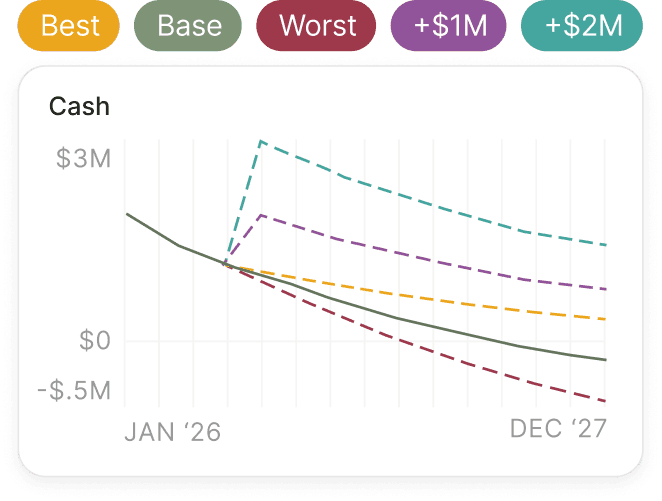
Compare up to five side by side
Layer scenarios on top of each other. See impact across runway, burn, P&L, and SaaS KPIs at the same time, in one view.

Duplicate, layer, and merge
Spin up new scenarios from existing ones. When the time is right, merge a scenario into your base model in one step.

Test sweeping changes, safely
Reshape every assumption inside a scenario without touching your base. Rebuild the entire model in a what-if without losing data or worrying about your underlying model.

Visual impact across every KPI
See exactly how each decision moves runway, burn, gross margin, and the rest of your dashboard, instantly.

Permissions for safe exploration
Team members can explore decisions like hiring or fundraising without needing full edit access to the model.
Where scenario modeling matters
Parallel gives you the confidence to tackle the most critical financial questions in your startup
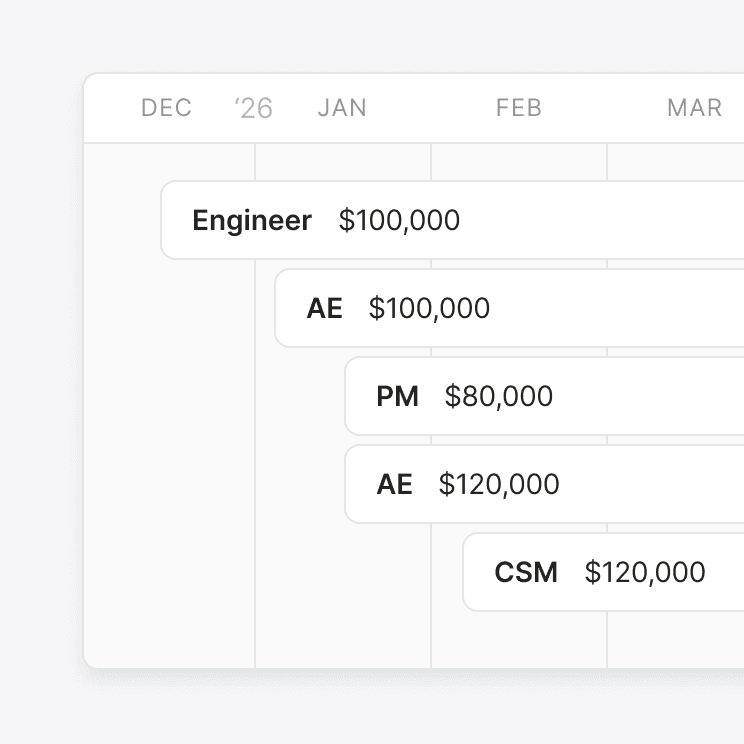
Hiring
"Can I afford this hire?"
Every role carries its full loaded cost: salary, benefits, taxes, bonus, and associated expenses. One hire can kick off others, so adding an AE may trigger CS reps you hadn't planned for. Parallel models the cascade and shows exactly how each new hire bends your runway before you make the offer.

Raising
"When and how much should I raise?"
Add the round size, close date, and spend plan on top of your forecast. Run multiple amounts and timings side by side. See exactly what runway each version buys you and how the operating plan changes.

Revenue assumptions
"What if sales change?"
Test pricing changes, churn assumptions, expansion lifts, and GTM motion shifts. See how each one reshapes runway, burn, and the rest of your KPIs in real time.
Frequently asked questions
How is scenario modeling in Parallel different from a spreadsheet?
A spreadsheet scenario is usually a duplicated tab with hand-edited inputs. Comparing them means rebuilding formulas in a third tab. Parallel treats scenarios as live objects: They share your base model, react to your actuals, and compare side by side without setup.
Can I share a scenario with my board or my investors?
Yes. You can export a scenario as part of an investor update, or use one as your conservative model that you share with the board throughout the year.
Do I need a finance background to build a scenario?
No. Every input is a common metric you understand. Change one thing and Parallel handles the math underneath.
How many scenarios can I run?
There's no limit. You can run two to five at once and compare them side by side, which is what most founders do.
What kinds of decisions can you model?
Hiring and fundraising are the most common. Revenue model adjustments come right behind: pricing changes, churn assumptions, GTM shifts.
A model is only as valuable as the decisions it drives
The moment Parallel shows its true value is when you run your first scenario and trust the answer enough to make a real decision.
Start Your Free Trial
15-day free trial. No credit card required.