Headcount planning software for SaaS startups
Understand the total cost and impact of every hire.
Parallel holds every active, planned, and paused hire in one current view, all tied to your live runway. Drag a start date, toggle a role, or set a rule to see how your forecast, expenses, and revenue respond.
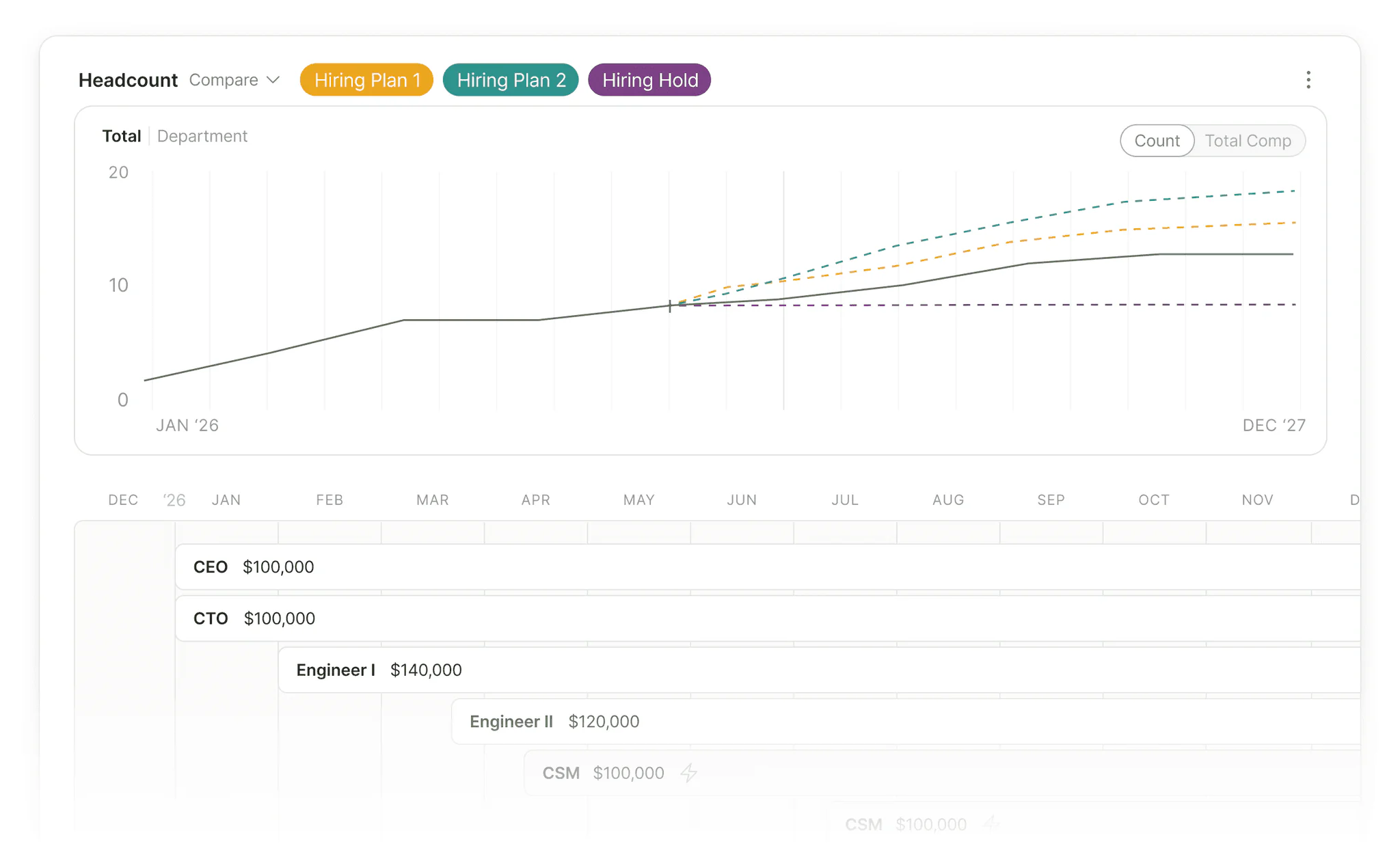
Headcount is your biggest overhead. Plan it with the full picture.
Hiring plans rarely play out how they look on paper: Start dates slide. Salaries shift during negotiation. Positions open, close, and refocus between quarters. Parallel makes those changes easy to explore, so your hiring plan stays on pace with the business instead of falling behind or adding unnecessary bloat to your bottom line.
You see the full loaded cost of every role — salary, benefits, payroll taxes, bonus, ramp, and per-employee expenses tied to each seat — so you get a complete picture of the potential impact on resources, runway, and metrics.
Plan, explore, and adjust headcount all in one place
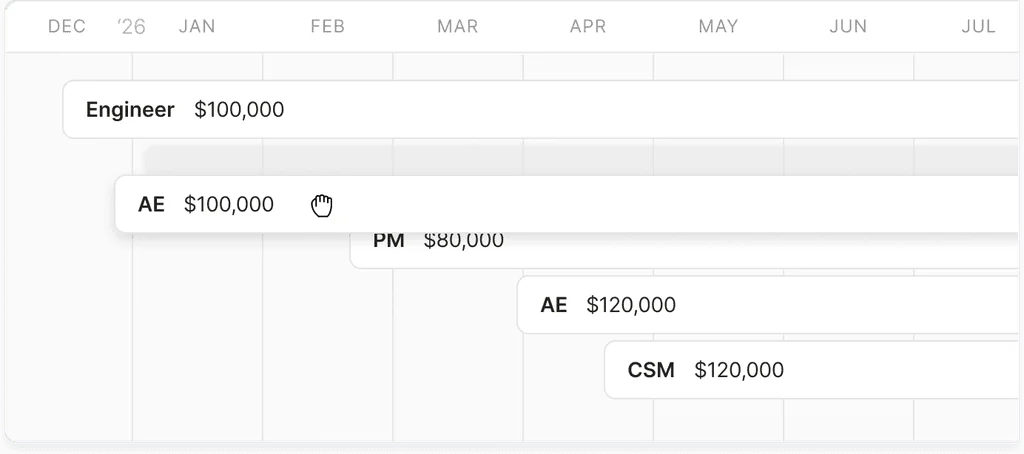
Drag-and-drop timeline
See every role on a single timeline you can modify with just a click. Drag a start date forward or back to reschedule a hire. Move a hire date up or out to see how it impacts runway, revenue, and other dependent hires.

Easy headcount import
Upload your employee roster and Parallel turns it into an accurate headcount model—no HRIS connection required. Stale positions are flagged automatically, so hiring forecasts stay up to date.
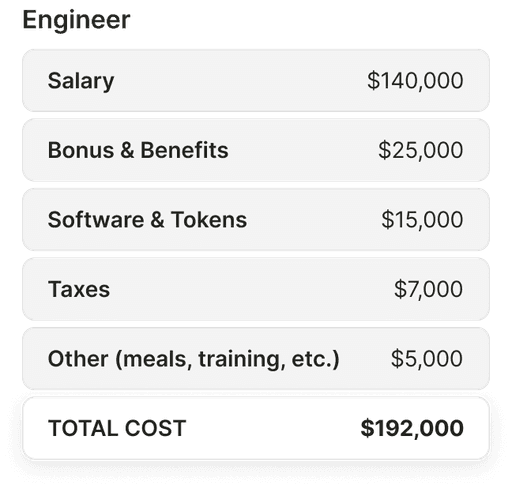
True cost per role
Each role carries salary, benefits, payroll taxes, bonus, ramp, and per-employee expenses like equipment and software that you set during onboarding.
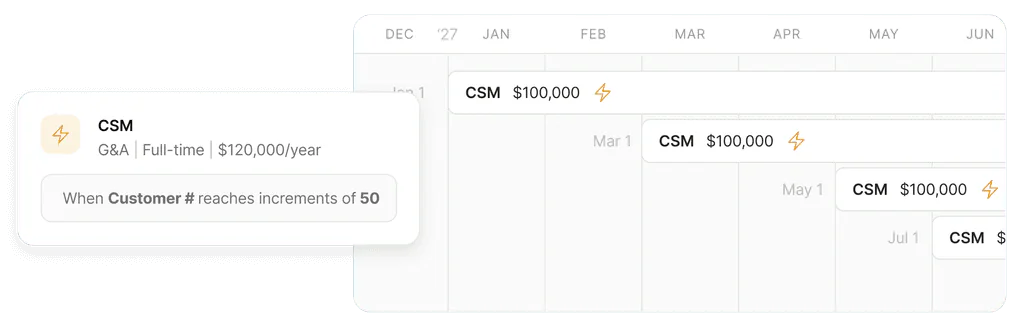
Rule-based headcount
Tie roles to the metrics that drive them: One CS rep per 150 customers, one SDR per AE, one engineering manager per 8 ICs. Dependent roles update whenever the underlying metric moves, so the plan reflects the team you'll actually need to support growth.
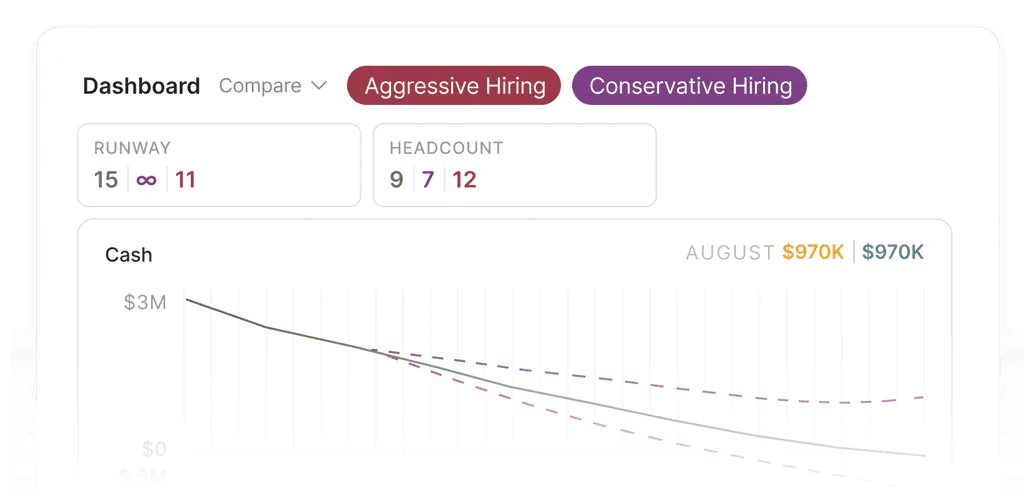
Headcount scenarios
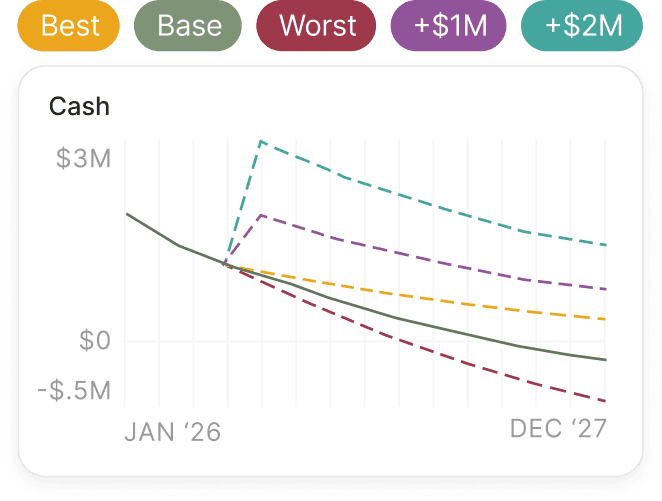
Run conservative, base, and aggressive hiring plans as separate scenarios, then compare them side by side while you're planning the next growth phase or modeling reductions. Merge the plan you commit to into your live model.
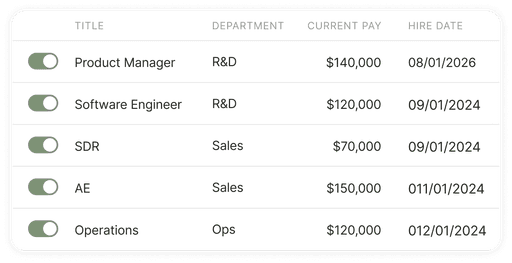
Simple adjustments
Toggle a planned hire on or off without deleting it. Schedule a raise with an effective date and the forecast applies it on the right month.
Use Cases
Get control of your financial situation
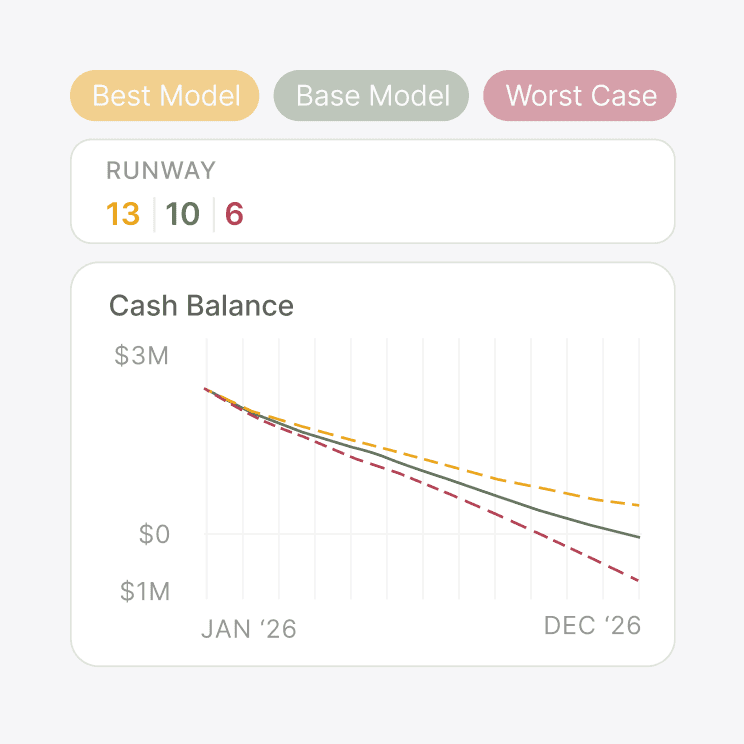
Runway clarity
Know your runway the moment your data changes, with full visibility into what moved the needle.
Learn More about Runway clarity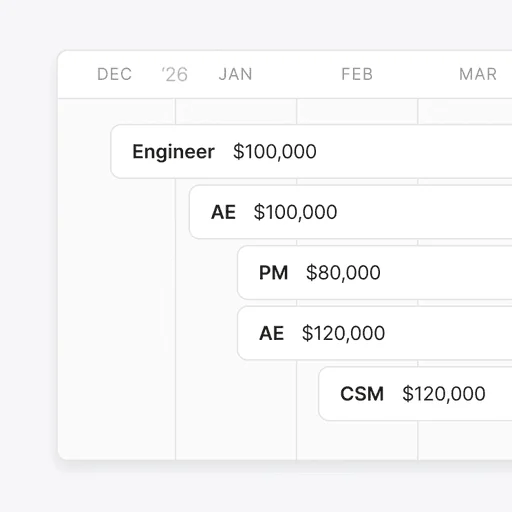
Headcount planning
Understand if you can really afford a hire, and what needs to be true for that hire to be successful
Learn More about Headcount planning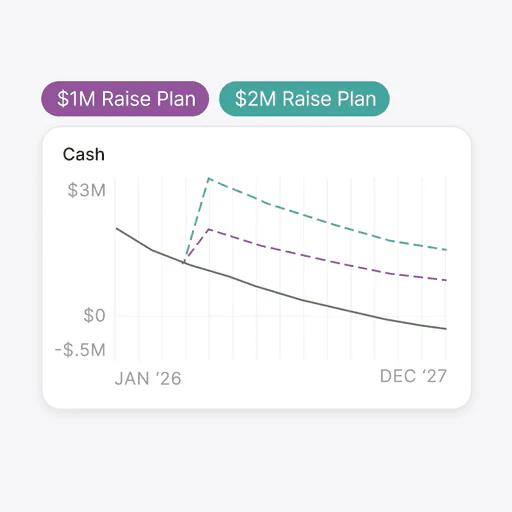
Fundraising prep
A data room investors can trust that's structured properly and ready to download.
Learn More about Fundraising prepProduct Capabilities
Get the full picture of your financial health
Scenario modeling
Layer hiring plans on top of your live model. Compare conservative, base, and aggressive plans side by side, then merge when ready.
Learn More about Scenario modeling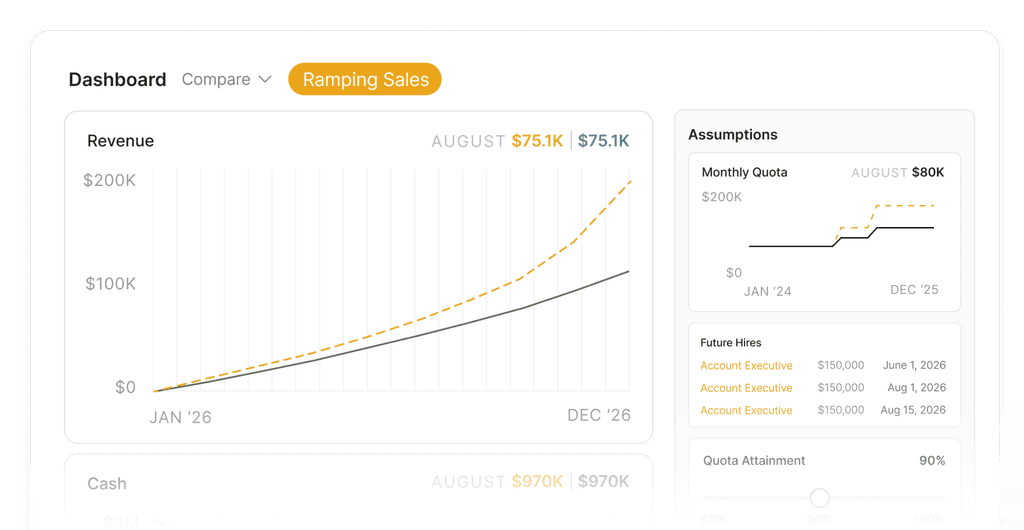
Revenue planning
AEs drive revenue, not just cost. Adding a sales hire adds both the loaded cost and the new business inflow on the right cadence.
Learn More about Revenue planning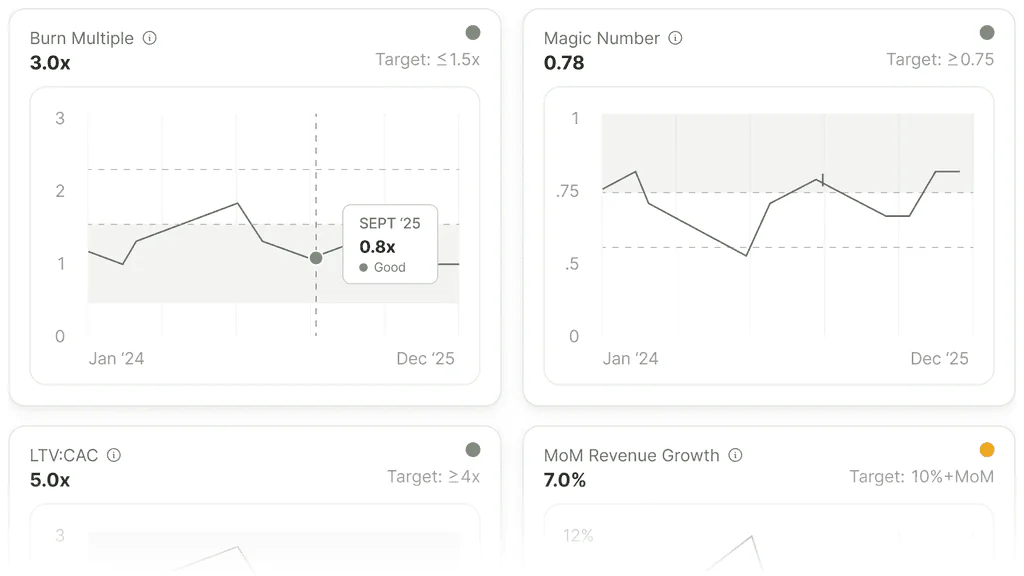
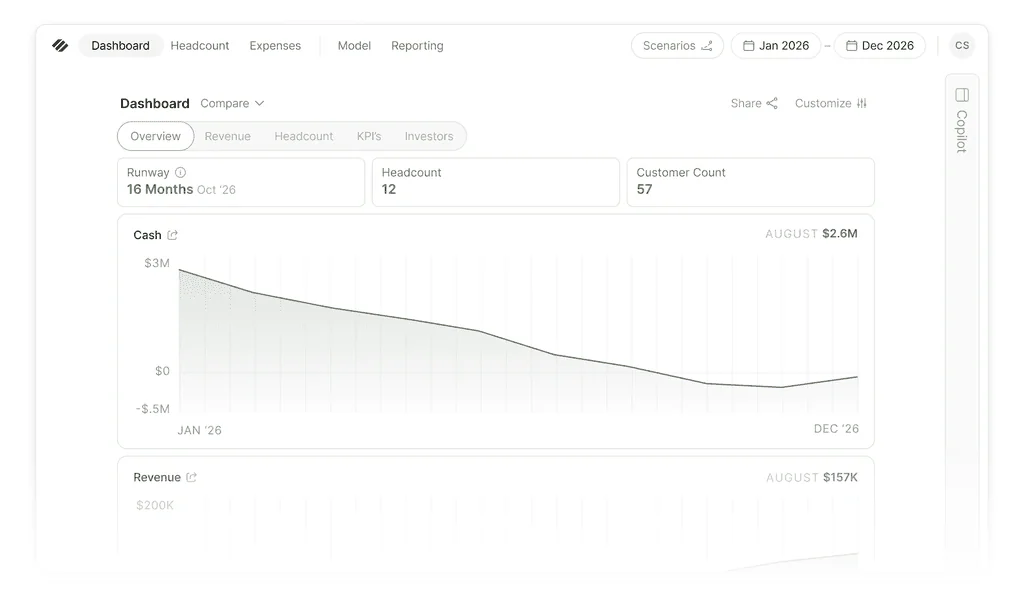
Dashboards and metrics
See the impact of every new hire on runway, burn, burn multiple, and relevant SaaS metrics so you can plan accurately for growth.
Learn More about Dashboards and metrics
Live integrations
Your accounting integration pulls in historical headcount cost automatically, so your previous spend is visible alongside your forecasted hiring plan.
Learn More about Live integrationsFrequently asked questions
What's included in fully-loaded cost?
Salary, benefits, payroll taxes, bonus, ramp, and the per-employee expenses you set during onboarding (equipment, software, meals). If you need more customization, you can override the default settings for any role.
Can I model ramp time on sales hires?
Yes. AEs are tied to a ramp curve and quota assumptions on the revenue side, so adding a rep adds both the loaded cost and the new business inflow. The cash-negative window of a sales hire is visible in the forecast instead of buried in your head.
How does headcount connect to runway?
Loaded cost flows into burn, and burn flows into runway. Add a hire, move a start date, or change a salary to adjust your runway in real time. There's no separate hiring spreadsheet to reconcile.
Can I plan headcount that grows with my business?
Yes. Set rules like one CS rep for every 150 customers so your plan grows with the business. Your forecast reflects the team you'll actually need a year from now, not just the hires on your current wishlist.
How is this different from an HR tool?
Parallel is a financial clarity solution for startups, not an HR platform. We help you with headcount planning, cost, timing, and runway impact — and we don’t do org design, talent management, or HR workflows.
Make hiring decisions without the guesswork
Understand the full cost and impact of every new hire so you add the right roles at the right time
Start Your Free Trial15-day free trial. No credit card required.