Revenue forecasting
An always-live revenue forecast that shows you where to focus.
Test what a pricing change, churn improvement, or new GTM motion does to your ARR, runway, and gross margin. All within a simple, current dashboard instead of a complex, outdated spreadsheet.
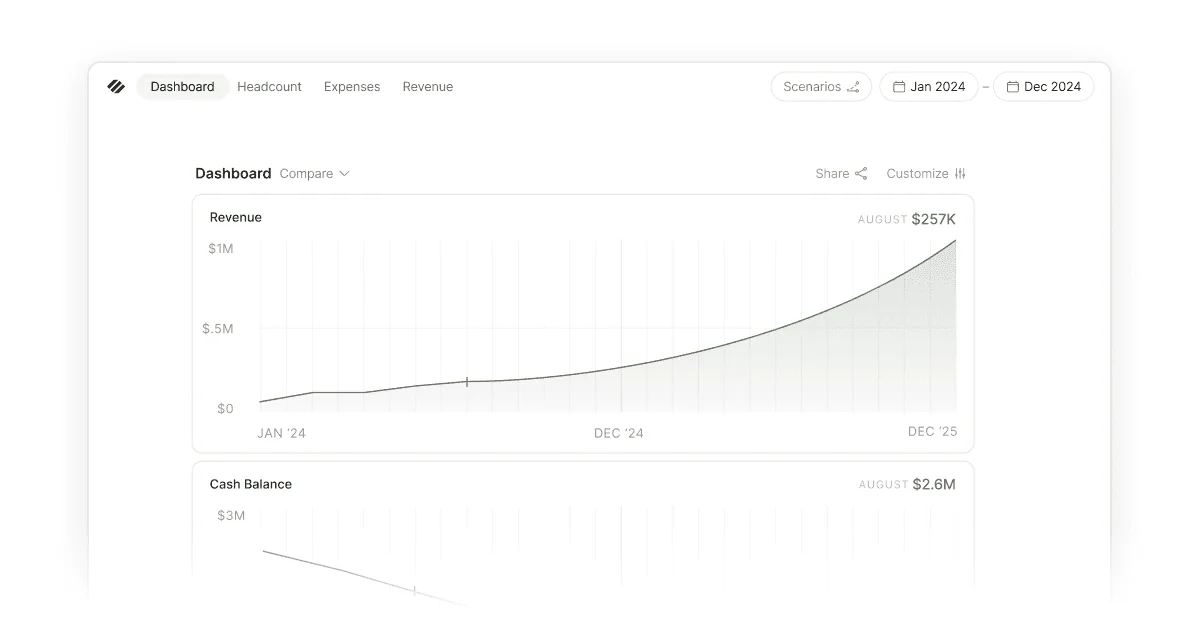
A revenue plan that clarifies your next step
When it works, revenue forecasting shows you which lever to pull to change your business trajectory. Seeing the impact of churn, pricing, ramp, quota attainment, and new business tells you where to focus. Most founders miss this because manually maintaining a revenue plan is time-consuming, and even updated plans rarely tell a clear story or model the true impact of key changes. The result: You operate without a strong understanding of long-term implications or what needs to be true to hit your goals.
What you need is a forecast that stays current automatically, surfaces the levers supporting the forecast, and tells you where to focus. Parallel gives you a live view of each key lever and how it impacts your next 12 months on revenue, runway, and metrics.
The levers that drive your revenue forecast
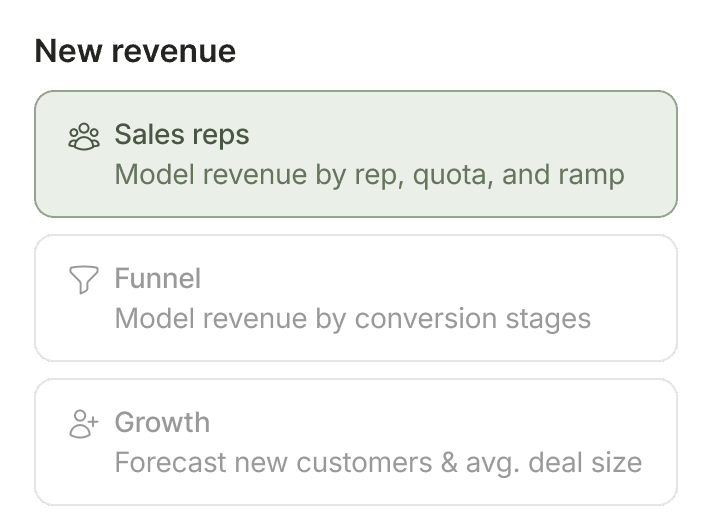
This is how your company adds revenue, whether it’s through AE quota, marketing-driven pipeline, or self-serve conversion. Explore adding two new AEs on a six-month ramp or a bump in marketing spend, and compare what each path does to ARR and your cash.
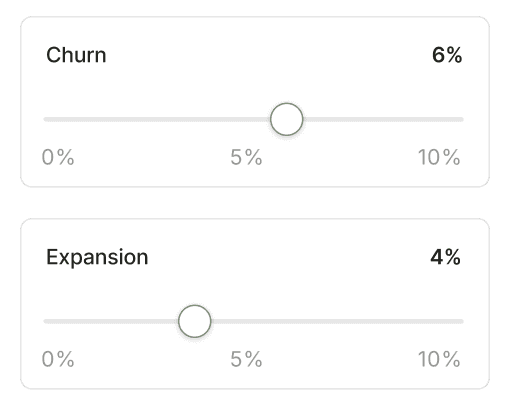
Increase expansion or decrease churn to see how your ARR changes over time, and how many months of runway it buys back. Retention can make or break a company's financial model.
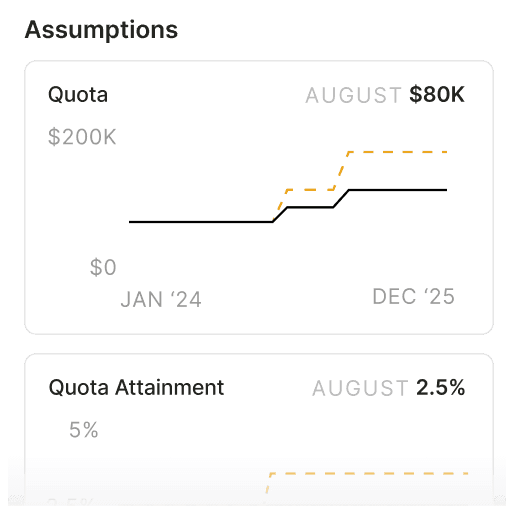
Lift quota attainment from 80% to 85%, adjust your base pricing, or push funnel conversion from 3% to 5%. See what each chance does to your ARR, runway, and gross margin before you bet on your next area of focus.
Revenue forecasting rooted in your actuals
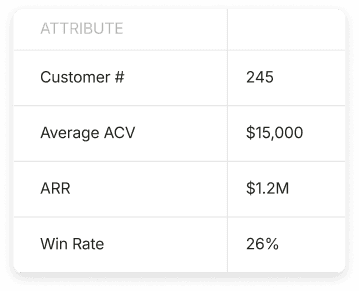
Customer-grounded
The forecast is built from your customer data, new business, expansion, and churn, with deferred revenue handled in the background. It reflects the customers you actually have, not a theoretical curve.
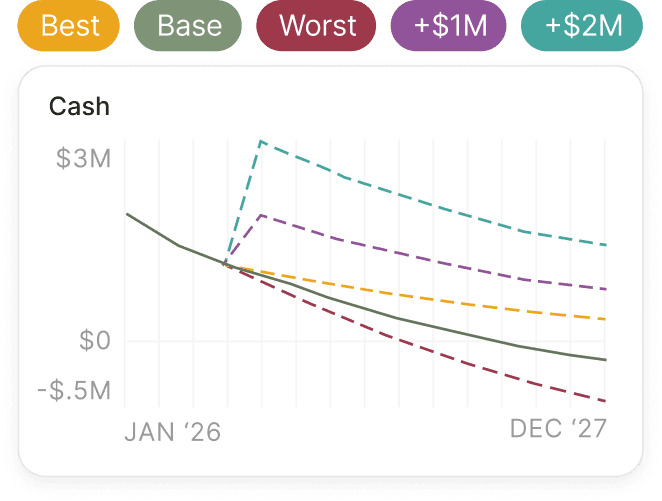
Scenario modeling
Create a scenario for any decision and see how it impacts runway, burn, and gross margin. Or run conservative, base, and aggressive scenarios side by side. You base your decision on real forecasts, not guesswork.
Scenarios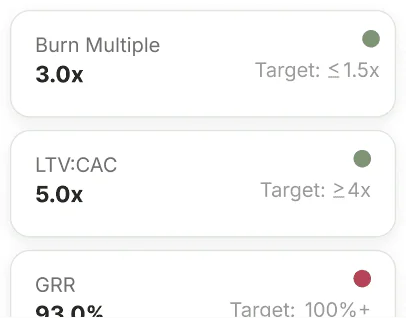
SaaS metrics
MRR, ARR, gross margin, CAC payback, burn multiple, and other key metrics update as your revenue assumptions change so you can see the performance impact of every decision.
Dashboard Metrics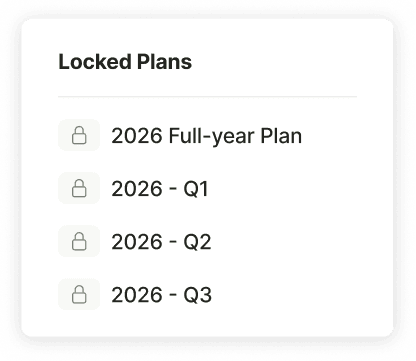
Locked plans
Commit to a plan, lock it, and Parallel tracks your budget vs actuals month by month, so you can see where reality pulled away from the forecast and which assumptions to tighten.
Always current
The model is grounded in actuals synced from your accounting software, so the base you're testing against always reflects the business as it is right now. Connect your books once and the model stays current.
IntegrationsI get a clear revenue forecast that's based on my data, where I’m able to easily adjust the inputs and see how it impacts our plan.

Danny Orlick
CEO @ Netgym

Use Cases
Your full financial forecast in a single tool
Parallel gives you the confidence to tackle the most critical financial questions in your startup
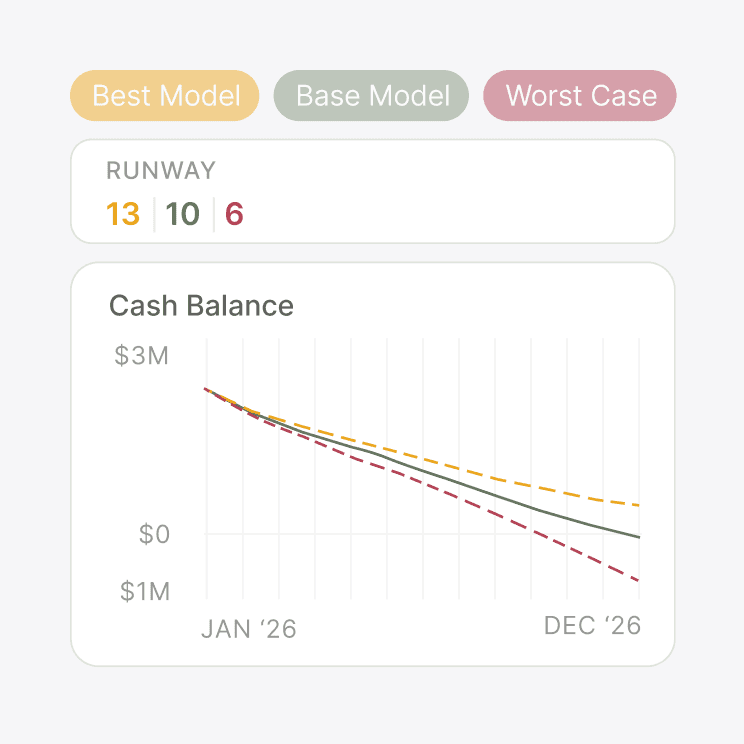
Runway clarity
Revenue has a meaningful impact on runway and often bends the curve more than any other factor.
Learn More about Runway clarity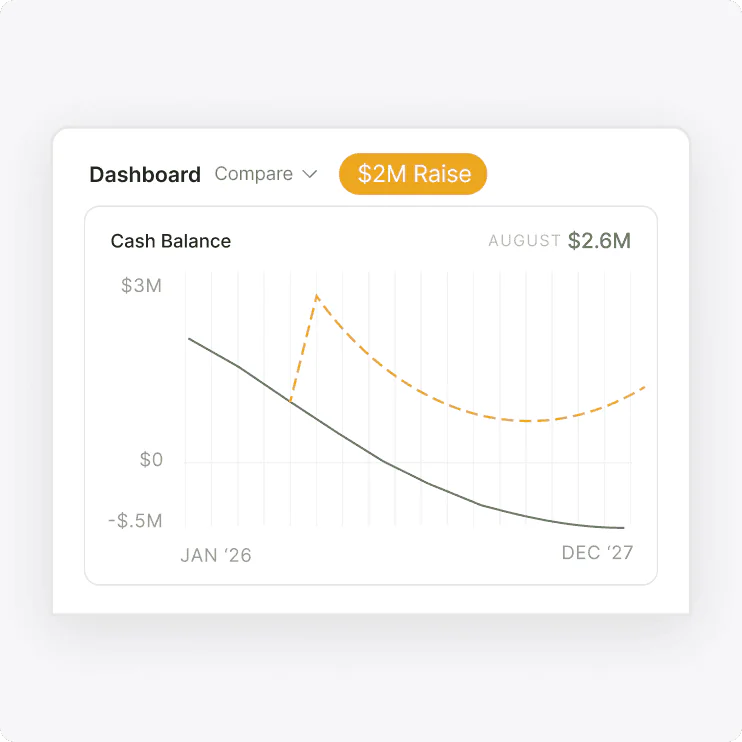
Fundraising prep
A revenue plan investors can trust is the backbone of your raise narrative.
Learn More about Fundraising prep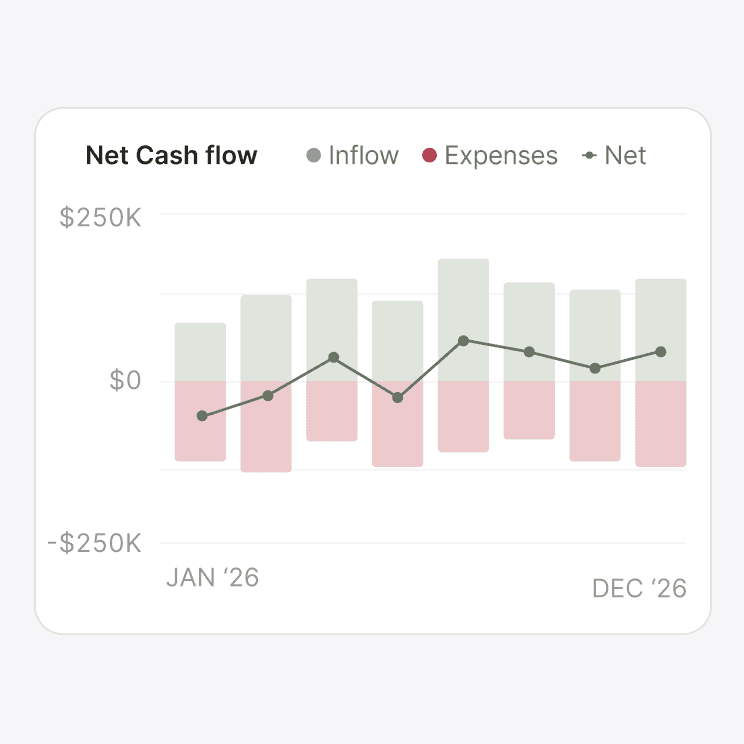
Cash flow management
Recognized revenue and collected cash rarely land in the same month, and the gap shapes your cash position
Learn More about Cash flow managementFrequently asked questions
How is revenue forecasting in Parallel different from a spreadsheet?
A spreadsheet forecast is a snapshot: It’s accurate the day you build it and then it starts to drift. Parallel keeps your revenue model connected to your accounting actuals so the data is always current.
Can Parallel handle my type of revenue and multiple revenue streams?
Yes, the revenue model maps to how you actually sell, with built-in support for sales motions, funnels, and monthly growth, plus combinations for businesses running mixed motions. If you have multiple streams, each one layers in with its own assumptions and rolls up to your total revenue.
What are the most common revenue scenarios founders run?
Hiring sales reps is at the top of the list. You model a new AE or two and see what their ramp does to ARR and cash. Churn and retention, quota attainment, GTM motion shifts, expansion bets, and contract-structure changes are also common scenarios. Pricing and packaging changes come up too, just less often than you'd think.
Do I need to model every customer individually?
No. Parallel handles customer-level detail when it's useful, like testing what happens if a specific deal closes — but past a small customer base, a clean churn or expansion rate gives you a stronger signal than trying to predict each account does.
Can I share my revenue plan with my board or investors?
Yes, you can share audience-specific views, or export the model and supporting reports for a data room.
How is this different from a fractional CFO building my revenue model?
A fractional CFO builds you a model and updates it on a set cadence. Parallel gives you a live revenue model you own and can test in seconds, any time. The two can work together as well: A CFO can work off your Parallel model instead of starting from a blank spreadsheet.
A full revenue forecast that shows where to focus
Parallel quickly gives you a revenue model you can actually understand, so you can see what's driving your forecast and what needs to be true to succeed.
Start Your Free Trial15-day free trial. No credit card required.