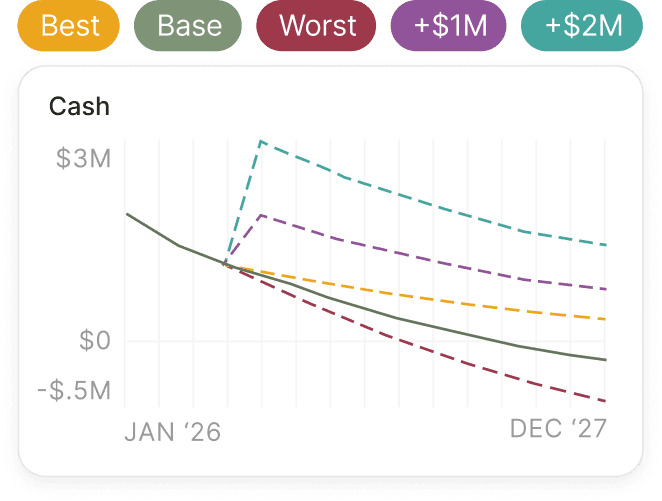
Scenario modeling
Model different spending scenarios and compare outcomes side by side. Adjust headcount, hiring plans, or discretionary spend to see the impact to your burn and other key metrics.
Learn More about Scenario modelingParallel connects your accounting, headcount, revenue, and expenses into a single model that shows how every decision affects your burn, runway, and financial efficiency.
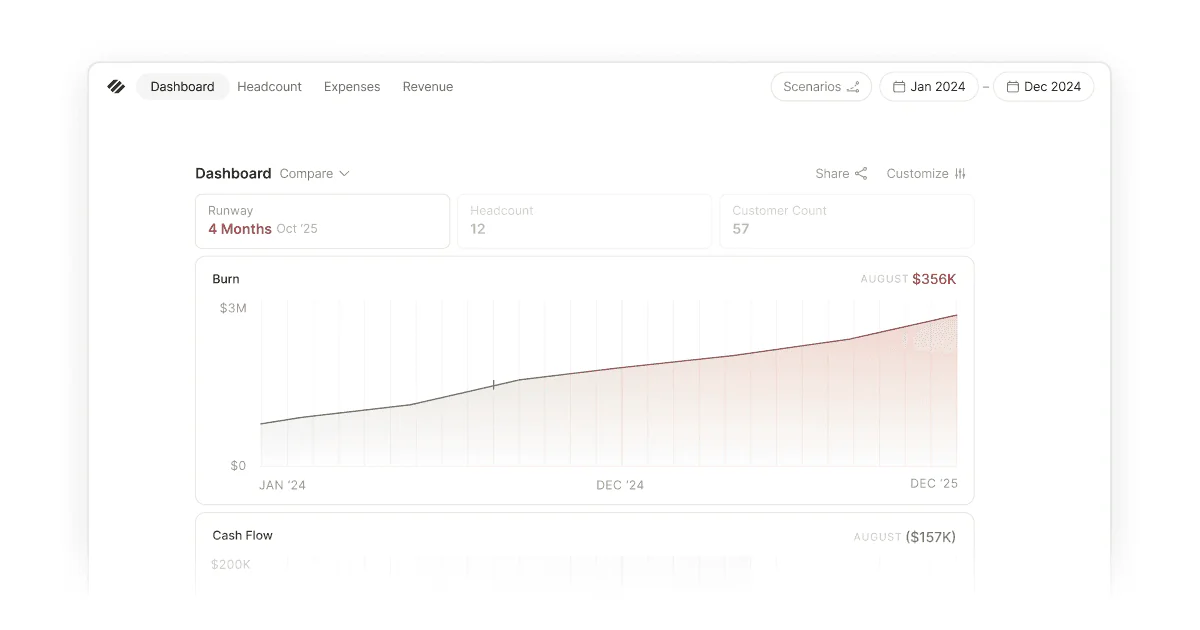
Historical burn is easy to see. Your bank accounts, Ramp, Mercury, and accounting system all agree on what already happened.
What’s harder to see is what happens next — after new hires start, revenue changes, churn increases, or planned spend hits. Most tools report history well but struggle to show how today’s decisions will affect future burn and runway.
Burn multiple adds another layer. Burn alone doesn’t measure efficiency, and the same burn rate can produce very different outcomes depending on revenue growth. What matters is whether your spending is creating a trajectory you can defend.
Without visibility into current and projected burn, founders often optimize the wrong costs while missing the decisions that have the biggest impact on runway and growth.
When you can see both current and future burn clearly, you know which levers to pull, when to pull them, and how to grow with confidence.
Connect QuickBooks Online or Puzzle. Expenses sync automatically with full vendor and category detail—no reclassification or manual entry.
Every expense flows into your burn, and which flows into your runway. The model stays consistent from line item to forecast.
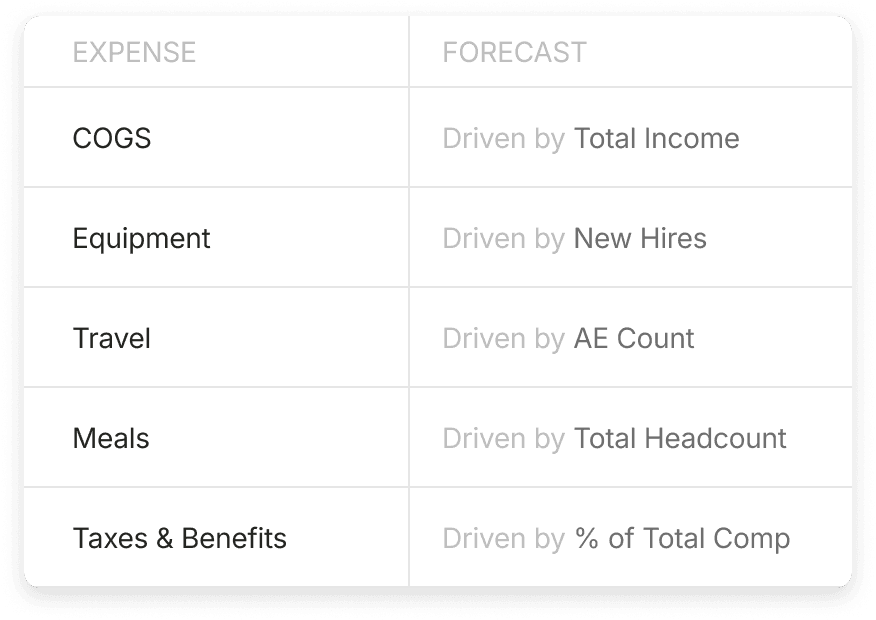
Model spend the way it behaves in reality: fixed costs, revenue-linked spend, per-employee scaling, and trailing averages. Annual payments are normalized so one-time charges don’t distort monthly burn.
Headcount is the single biggest driver of burn, so it’s crucial to get it right. Model fully loaded employee cost — including salary, benefits, taxes, ramp, software, equipment, and more — plus the rule-based headcounts that scale with your business.
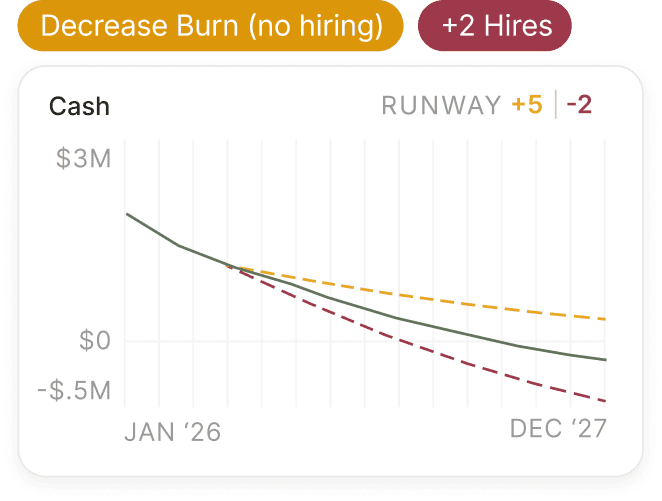
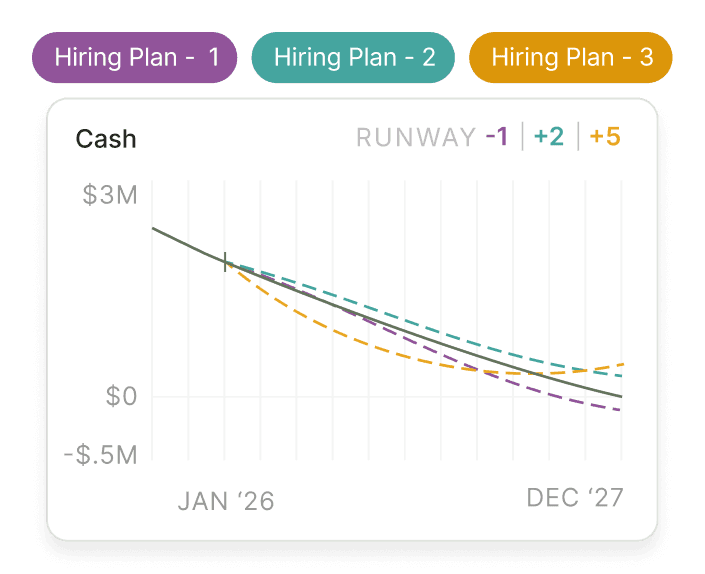
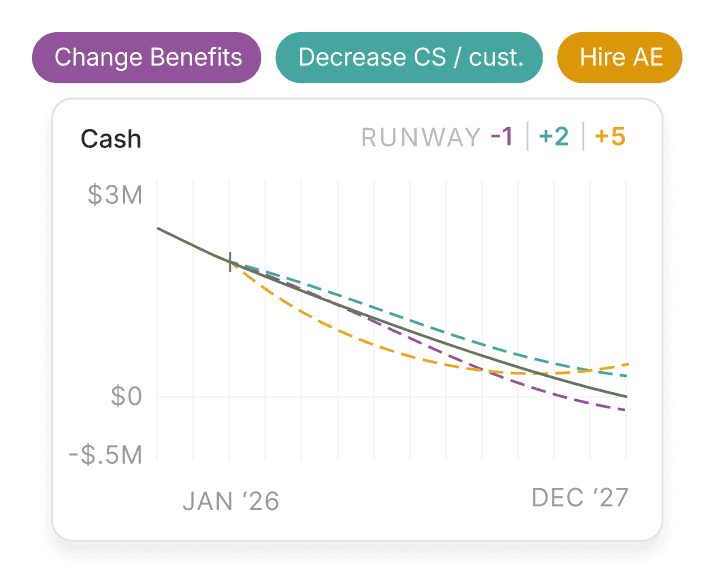
Your burn rate isn’t an isolated metric. A hire, pricing shift, or spend cut will move multiple parts of the model at once — and each opportunity is often competing for the same cash and timeline.
Parallel puts those options side by side so you can see which decisions improve trajectory and which will have you stressed out next quarter. When you can see the full impact before you act — cash, runway, burn, and burn multiple — you can evaluate with greater insight and make calls with greater confidence.
Model different spending scenarios and compare outcomes side by side. Adjust headcount, hiring plans, or discretionary spend to see the impact to your burn and other key metrics.
Learn More about Scenario modeling
QuickBooks Online and Puzzle automatically sync your actuals, ensuring your historical burn stays accurate and your spending forecasts stay grounded in reality.
Learn More about Live integrations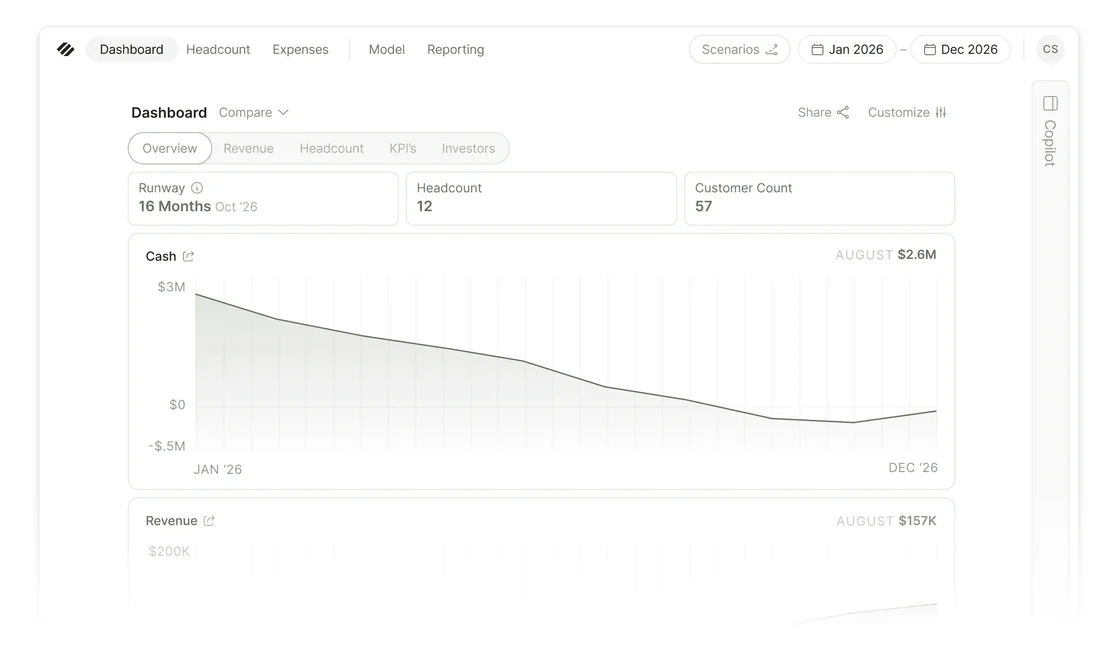
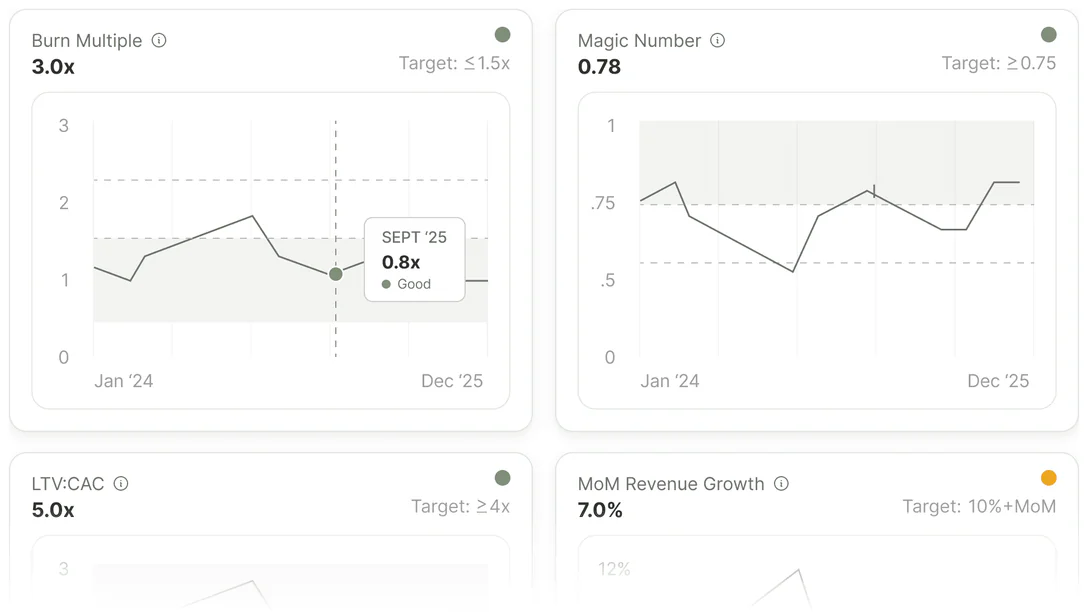
Burn impacts every part of your financial model—from cash runway and SaaS metrics to net income. See how decisions ripple across the business and what needs to be true to reach your goals.
Learn More about Dashboards and metrics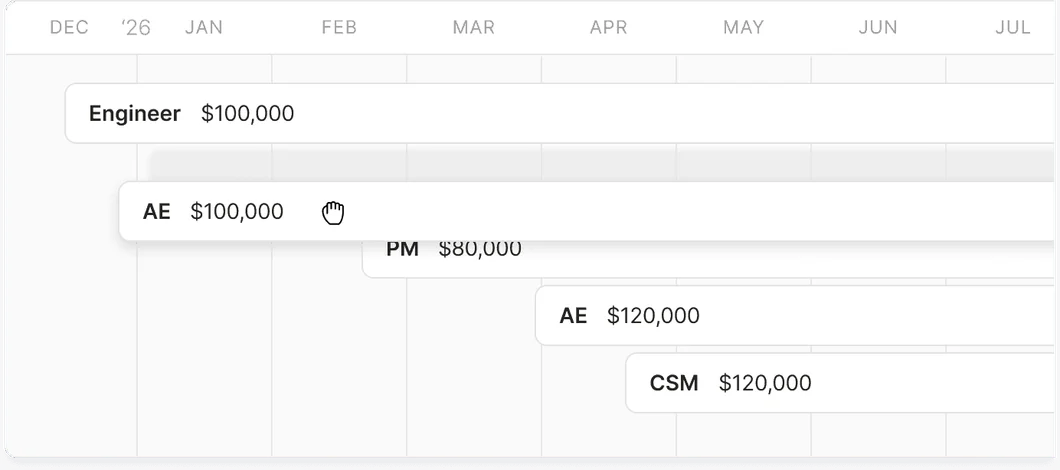
Model your hiring plan alongside the rest of your spend. Build rule-based headcount that scales with the business and see exactly how each hiring decision impacts burn and runway.
Learn More about Headcount
I could finally understand where the hell the money was going.

Andrew Brown
Operations @ Ask Elephant
Use Cases
Parallel gives you the confidence to tackle the most critical financial questions in your startup
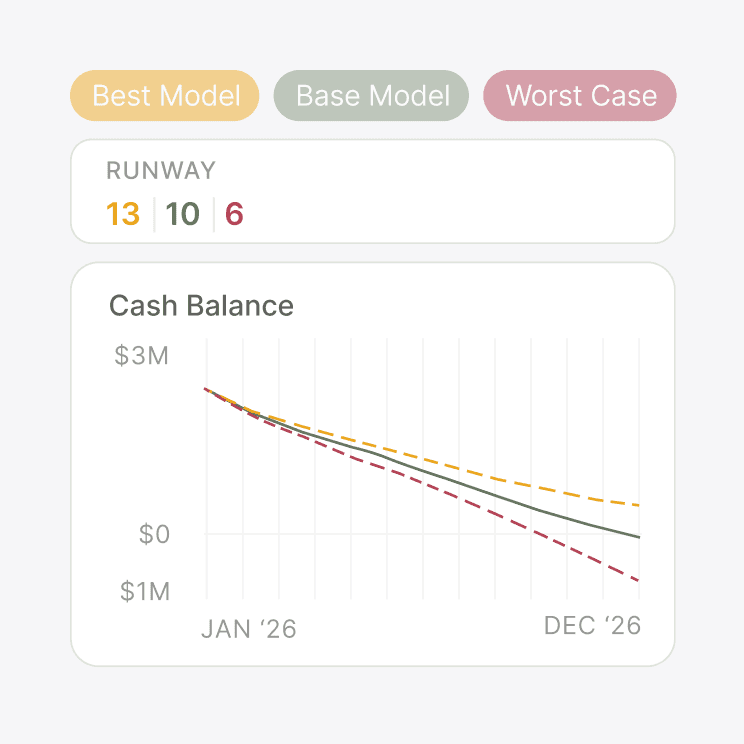
Know your runway the moment your data changes, with full visibility into what moved the needle.
Learn More about Runway clarity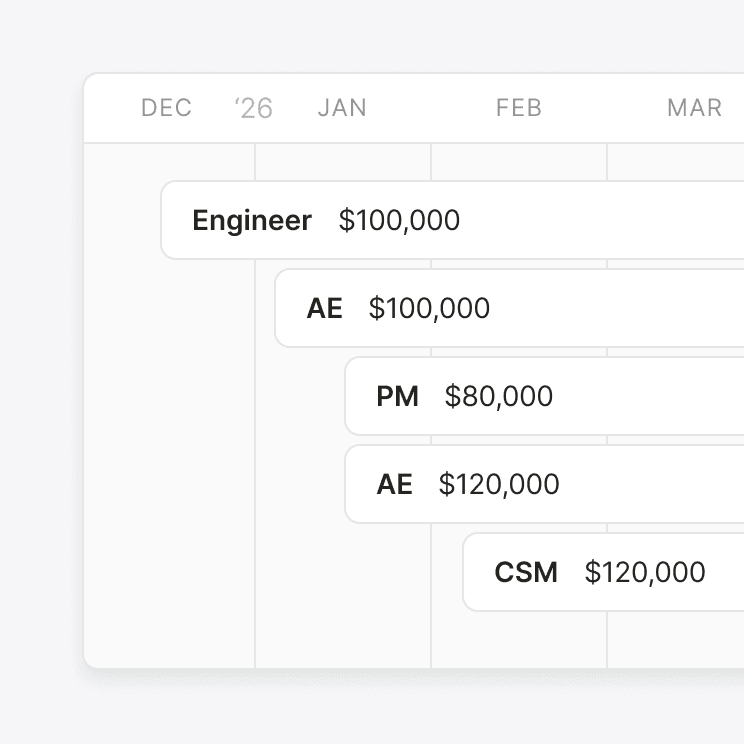
Understand if you can really afford a hire, and what needs to be true for that hire to be successful
Learn More about Headcount planning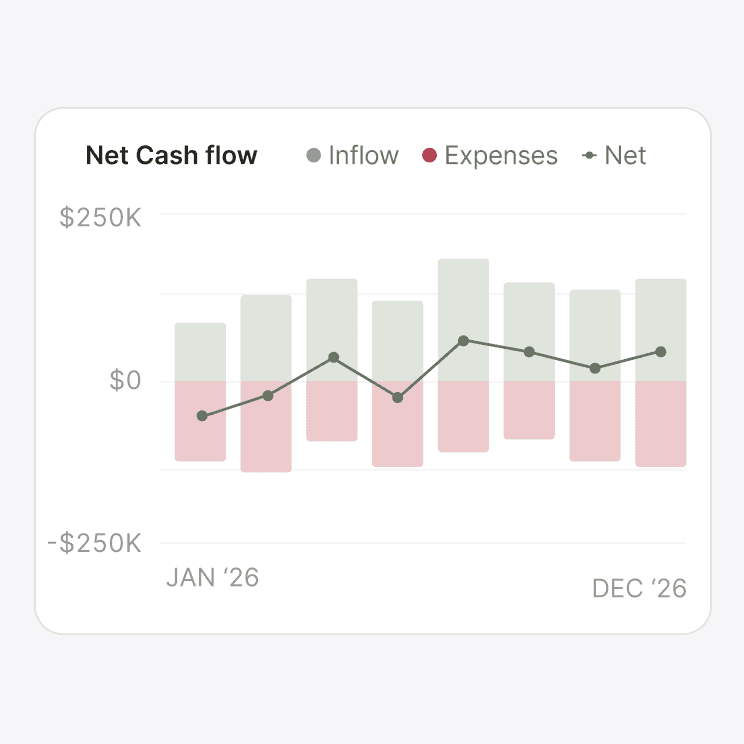
How much cash will you have in the bank and what levers do you have to change that.
Learn More about Cash flow managementParallel calculates gross and net burn directly from your accounting data.
Gross burn is total cash outflow. Net burn subtracts incoming revenue and drives runway. Both update automatically as actuals sync, and you can compare historical burn to your forecast in the same model.
Expenses are pulled from your accounting software and organized by category, department, and time frame. You can see what changed month over month, which categories are creeping, and plan for large expenses hitting next quarter.
That's the best position to be in. The point of cash flow planning is that you're ready before you need to be. The story you tell investors gets easier when the numbers behind it have been true for two quarters before you walk into the room.
Looking at spend in isolation doesn’t give you enough insight — you also need to see the result that spend is producing. Burn multiple is net burn divided by net new ARR, and it shows how efficiently you’re spending relative to growth. This gives you a much clearer picture of how impactful your spend really is.
It depends on how your accounting is set up. If you use an accrual basis, Parallel forecasts the same way. If an annual expense lands as a single payment, Parallel can either treat it as a one-time event that recurs on the same cadence or take an average over time. Either way, the expense is captured even if the timing isn't exact, and, if you’re on accrual, your monthly burn doesn't get inflated by a single-time payment.
Parallel ties every expense, hire, and revenue assumption into one live picture, so you stop estimating burn and start managing it.
Start Your Free Trial15-day free trial. No credit card required.